ULTAVI / by Ultimate Cleaning
Every service. A clearer picture.
ULTAVI brings people, service delivery and accountability into one connected platform.
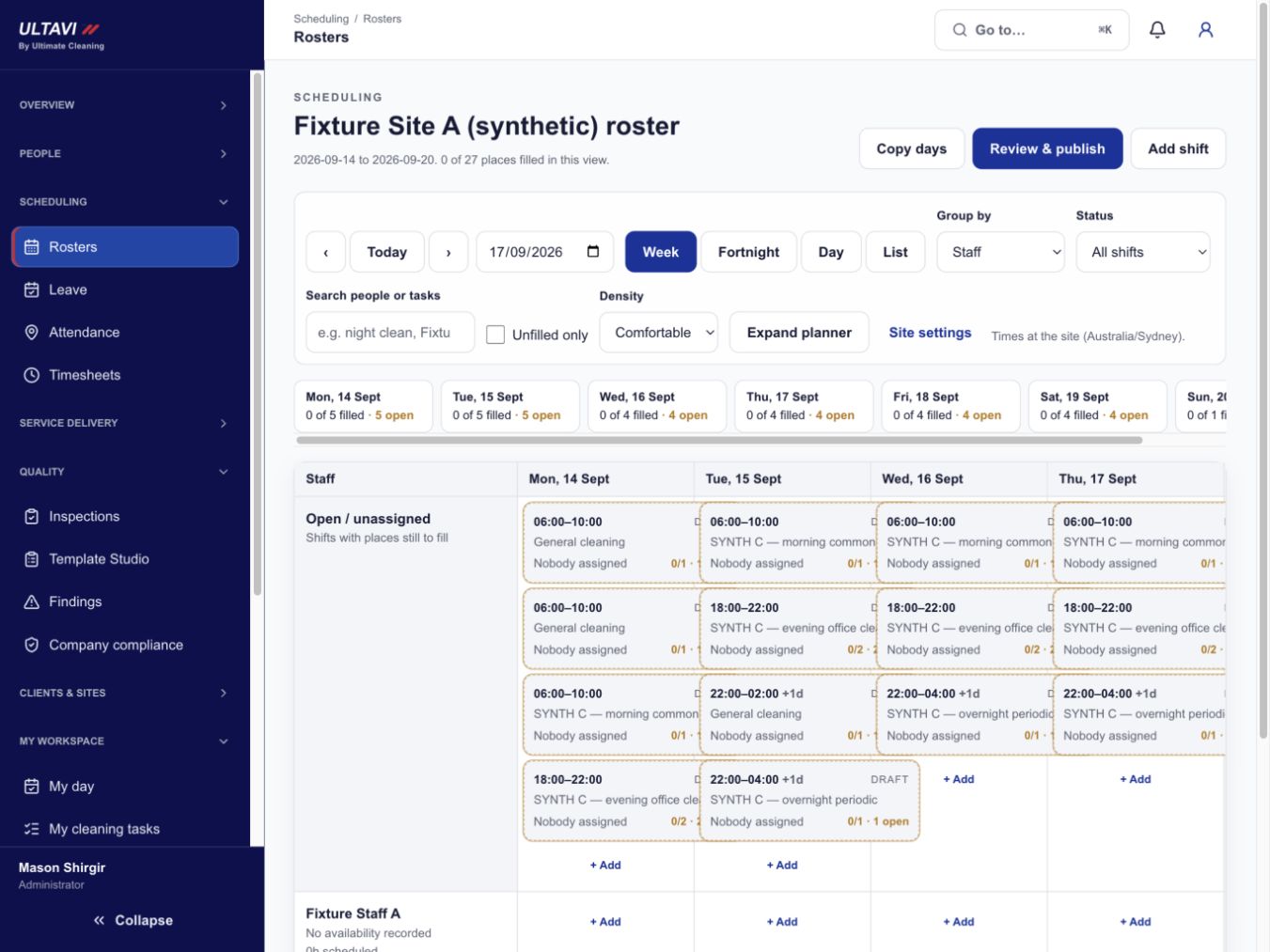
Roster planning
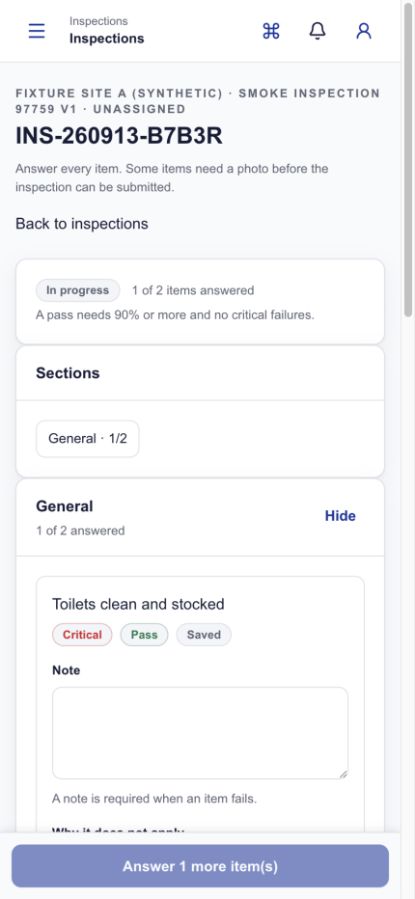
Inspection detail
Actual ULTAVI screens · demonstration data
Why we built it
Built around the work. Designed around you.
We built ULTAVI to connect the work on site with the information our clients need.
ULTAVI connects scheduling, training, service records, inspections and client communication in one place. Each record relates to the relevant site, helping our teams answer questions, track follow-up and give clients a clearer view of their service.
It is built by a cleaning company for cleaning work. The structure follows how a contract is actually planned and delivered, rather than a generic workflow adapted after the fact.
Connected workflow
One sequence, from planning to improvement
Each stage passes its record to the next, so review draws on the same information.
- 01Plan
Roster and site planning
Shifts are planned around each client's sites, agreed services and access times, so the roster reflects the contract rather than a separate spreadsheet.
- 02Prepare
Learning, induction and policies
Site inductions, safety information, procedures and policy acknowledgements sit with the person and the site, so readiness is recorded before work begins.
- 03Deliver
Task completion on shift
Cleaners work from the tasks agreed for the site and mark them off as they go on a phone, creating a clear service record.
- 04Verify
Evidence and inspections
QR check-ins, time records and structured inspections create a dated record of what was attended and assessed. These records support review; they do not by themselves guarantee attendance or cleaning quality.
- 05Improve
Review, actions and reporting
Managers review findings, raise corrective actions, follow them to completion and share the relevant record with the client for the sites they are responsible for.
Client value
Visibility that earns confidence
Confidence comes from being able to look at the record, not from being told the work was done.
Relevant site records, shared with the right people.
- Clear service status
- See what is scheduled and what has been recorded as attended for your sites, in one place.
- Reviewable records
- Dated task and evidence records you can look back through when a question comes up.
- Structured inspections
- Inspections completed against set criteria, so results are comparable between visits.
- Accountable follow-up
- Issues become corrective actions with an owner and a status, rather than an informal message.
- Requests in context
- Raise a request against the site it relates to, so the detail travels with it.
- Continuity across sites
- Multi-site portfolios use the same structure, so reporting reads the same way everywhere.
Core modules
Three perspectives on the same record
Rostering, My Day, service tasks and QR evidence, inspections and corrective actions, learning and induction, and a client-specific workspace.
A record that matches the scope
Each site carries its own task structure, evidence points and inspection criteria, so the record reflects what was actually agreed for that premises.
- Service tasks by area
- Tasks are grouped by area and frequency, following the written scope rather than a generic checklist.
- QR evidence points
- Codes placed at defined locations record a dated check-in when scanned on shift.
- Inspections and corrective actions
- Inspections are completed against set criteria, and findings can be raised as actions with an owner.
Operational visibility
From the command centre to the inspection detail
Teams can review operational priorities, inspection status and the records that need attention, while each response remains grounded in the work recorded for the site.
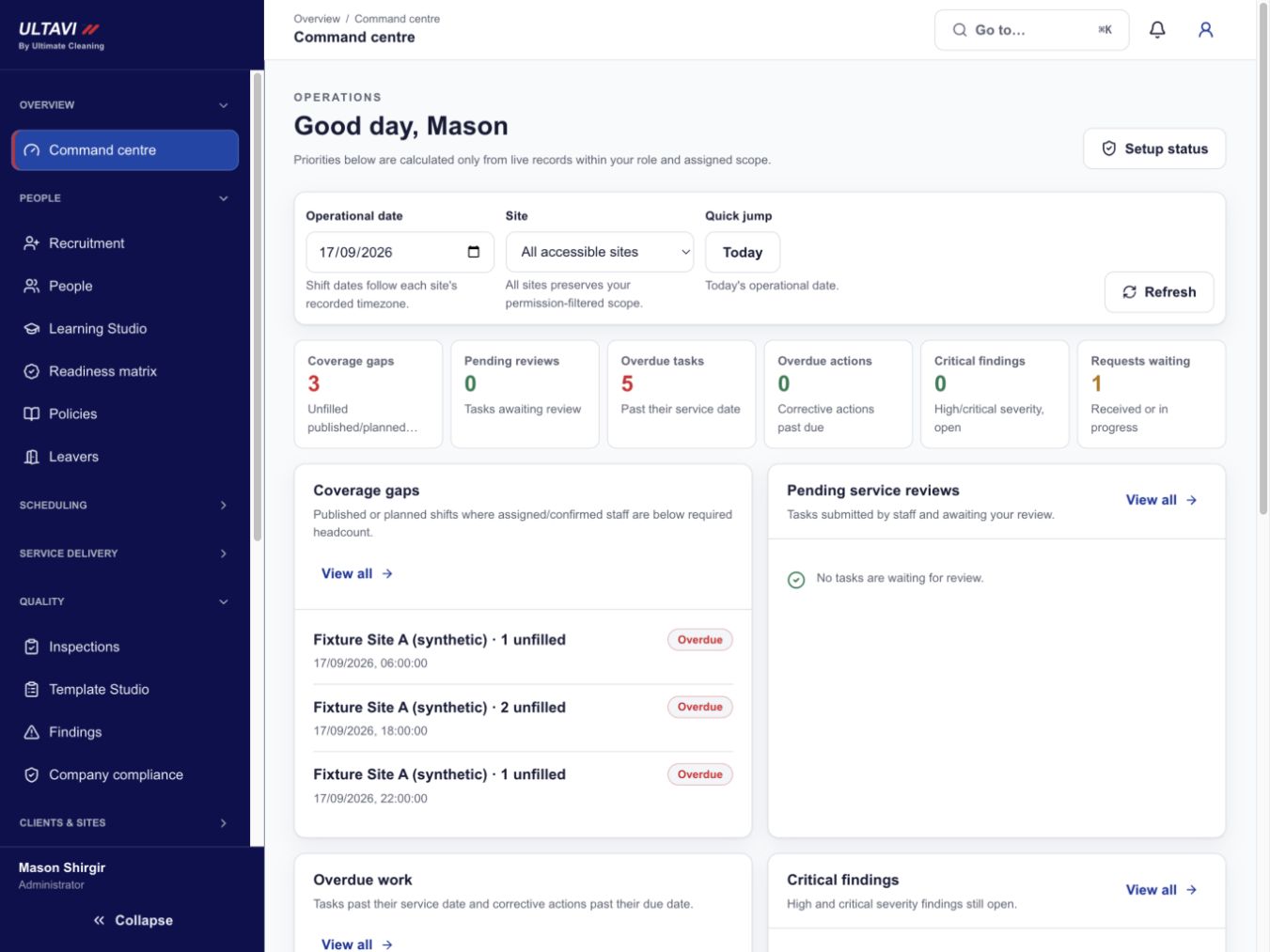
Command centre
Inspection detail
Actual ULTAVI screens · demonstration data
Intelligence with accountability
Better information. Clear human decisions.
ULTAVI brings schedules, task records, inspections and actions into a connected view, helping teams identify what needs attention and respond with the relevant context.
Operational information supports the decision; accountable people review the record, take action and determine what is shared with a client.
ULTAVI questions
- Why did a cleaning company build its own platform?
- We built ULTAVI to connect the work on site with the information our clients need. It brings rosters, site scope, service tasks, inspections and follow-up into one connected record.
- What would a client be able to see?
- Role-appropriate information for the sites in their contract: scheduled and recorded service, inspection results, corrective actions and requests they have raised. Clients do not see staff private records, and there is no continuous live tracking of staff.
- How do QR, time and location records work?
- They record a dated check-in at defined points during a shift. They support review of what was attended and when, and they sit alongside task records and inspections. They do not independently guarantee attendance or the quality of the cleaning.
- Is it relevant to multi-site portfolios?
- Yes. The same site, task and inspection structure is used across sites, so a portfolio reads consistently rather than site by site in different formats.
- Is ULTAVI available now?
- Yes. ULTAVI is ready, and clients can contact Ultimate Cleaning to discuss access for their sites.
Bring clearer visibility to your sites.
If clearer service records and accountable follow-up matter to the way your sites are managed, we are happy to talk it through.